
2027 New Year Money Kit
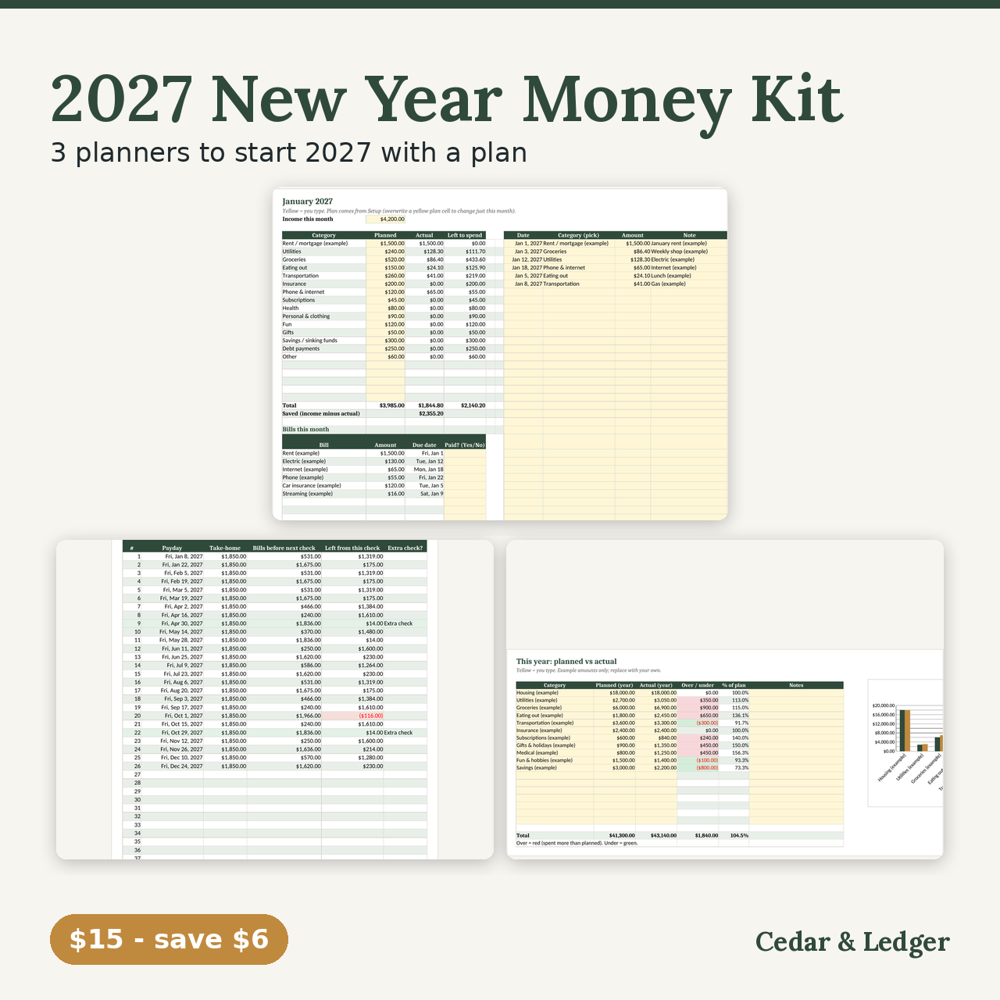
Look back at this year, then plan every 2027 payday and month. 3 spreadsheets for Excel and Google Sheets, $15 ($21 separately).
Who this is for
- You want to look back at this year and then plan every month and payday of 2027.
- You want the 2027 Budget Planner, 2027 Paycheck Calendar and Year-End Review sheets for $15 instead of $21 bought separately.
- You like simple spreadsheets in Excel or Google Sheets.
Who it's not for
- Not the best buy if you already own one of the three. Buy the other two on their own instead.
- Not for you if you only need a monthly budget. The 2027 Budget Planner is $9 on its own.
- Not for you if you want bank sync, reminders or an app, or financial or tax advice.
Not sure yet? Try a free 2027 printable first. The 2027 Year at a Glance is $0 on Payhip: enter your email at checkout to get the PDF, no payment details needed. Payhip emails you the download link; that's the only email it sends. For tips by email, subscribe separately (free, unsubscribe anytime).
Instant digital download, sold through Payhip. $21 if bought separately ($9 + $7 + $5); these are the same 3 files sold on their own in the shop. If you already own one of them, buying the other two on their own may cost less. One zip with 3 .xlsx files that work in Excel and Google Sheets, plus a short how-to. Spreadsheets, not an app: nothing connects to your bank. All names and amounts are examples. Planning tools, not financial or tax advice.
Free guides: How to set up a 2027 budget · 2027 biweekly paycheck calendar and 3-paycheck months · Year-end money review · The 2027 52-week savings challenge
What's inside
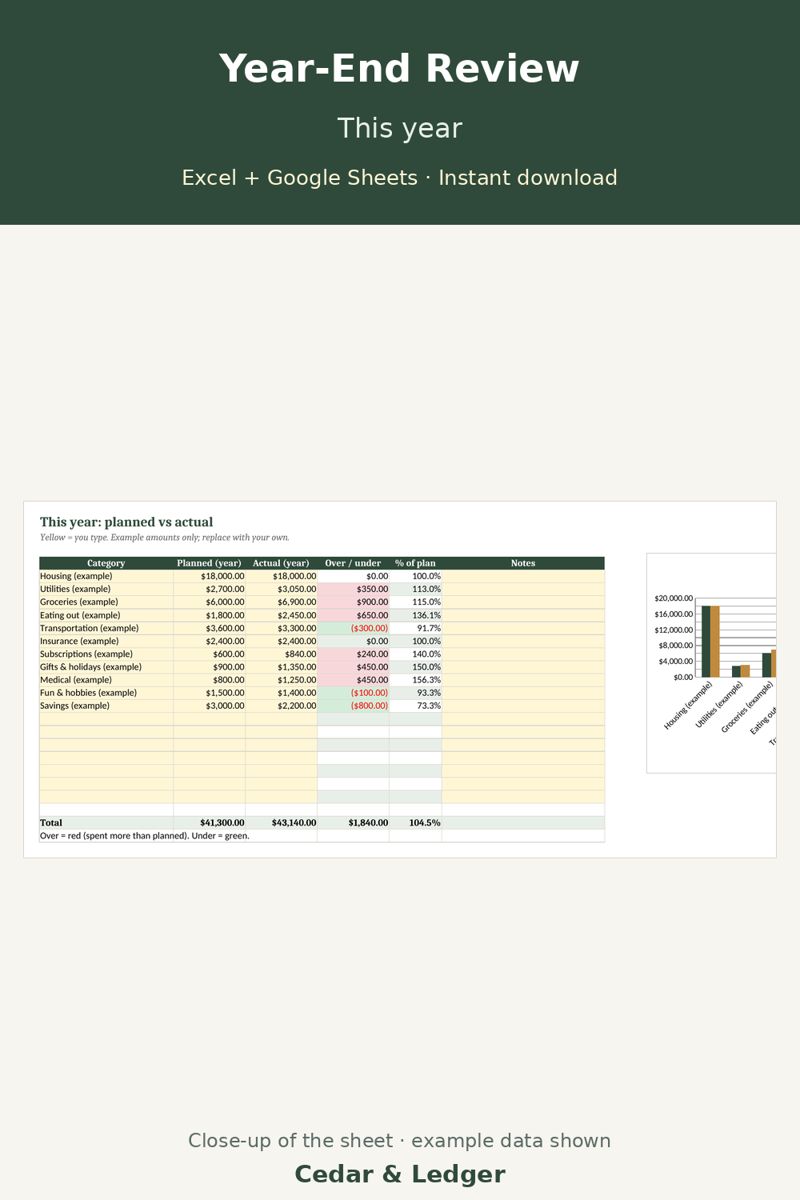
- Year-End Review & New Year Budget Planner ($5): planned vs actual for this year, the surprise costs that should become sinking funds, savings and debt start vs end, and 1-2 goals.
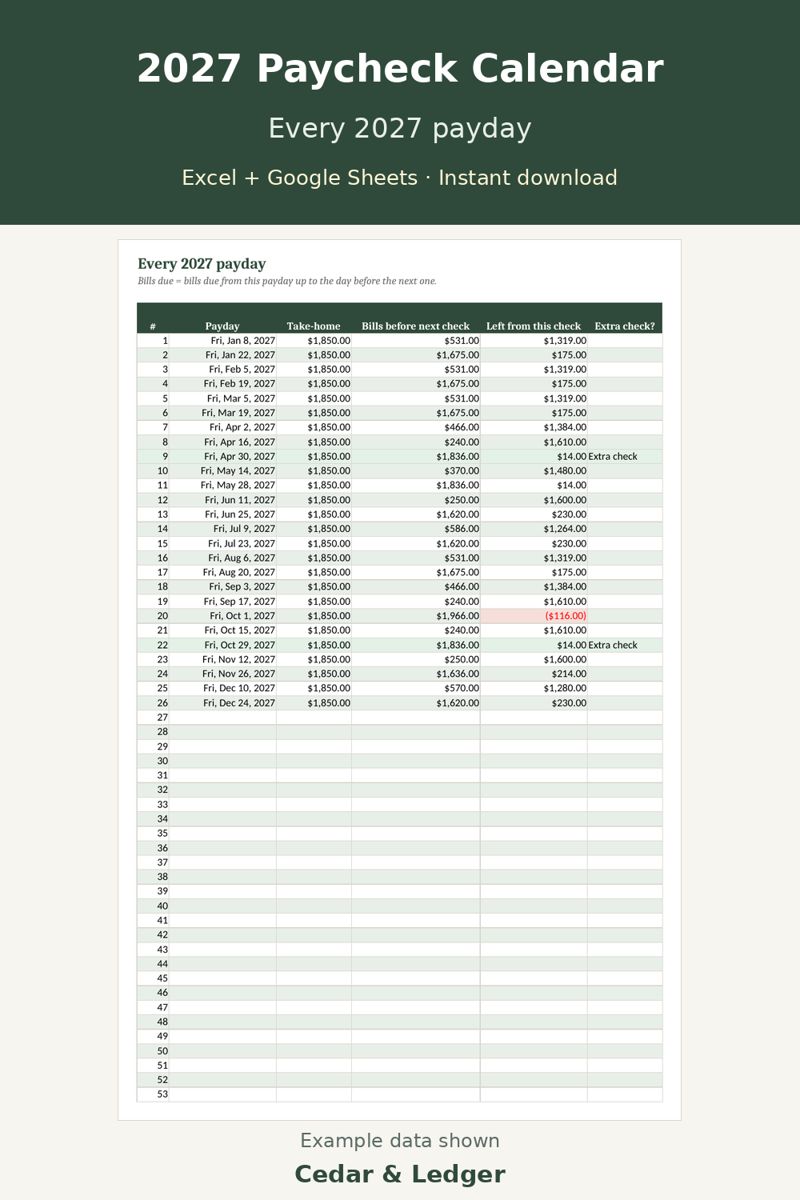
- 2027 Paycheck Calendar ($7): every 2027 payday for weekly, biweekly, twice-a-month or monthly pay, the bills each check covers, and the months with an extra check.
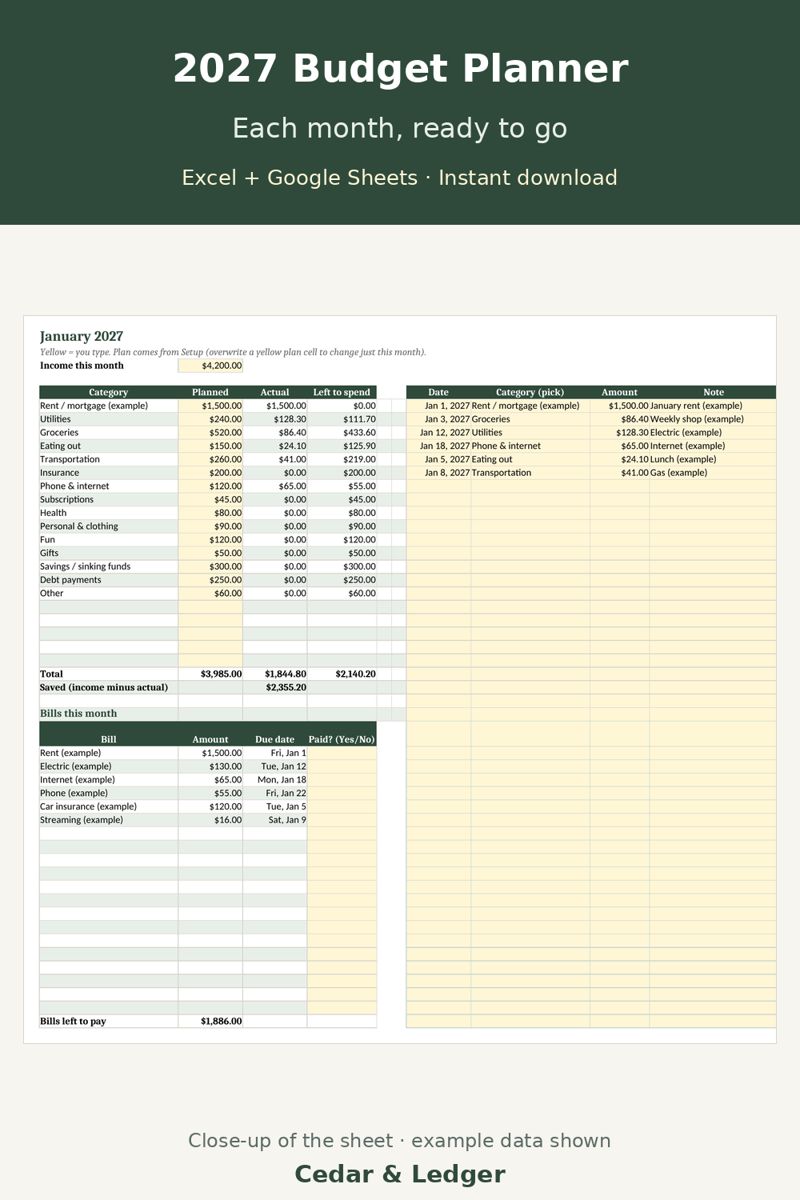
- 2027 Budget Planner ($9): set your plan once, then 12 month tabs with a spending log, bills by their real 2027 due dates and a year dashboard.
Good to know
- All names and amounts in the files are examples.
- Spreadsheets, not an app; nothing connects to your bank.
- Planning tools, not financial or tax advice.
Previews
Frequently asked questions
Which apps does it open in?
Excel 2016 or newer (including Microsoft 365 and Excel for the web) and Google Sheets: upload the .xlsx to Google Drive, then open it with Google Sheets. You get one zip with 3 .xlsx files (Excel 2016+, Microsoft 365, Excel for the web, imports into Google Sheets) and a short how-to. Instant digital download.
What happens after checkout?
Payhip shows your download link right after checkout and emails it to you too. You download a .zip with the .xlsx file(s) and a short how-to. It's an instant digital download; nothing physical ships.
Can I edit it?
Yes. Type your own numbers into the input cells and rename categories; see the Start Here tab.
Does it connect to my bank or send reminders?
No. It's a spreadsheet, not an app: you type in your own numbers and nothing is synced or sent.
Are the numbers in the previews real?
No. Previews and the file use example data only. Delete the example rows and add your own.
Can I get a refund?
It's a digital download, so if something doesn't open or work, message the shop through Payhip (or reply to the Payhip email) and I'll help fix it. Refund requests are handled case by case under Payhip's terms.
Is this financial advice?
No. It's an organizing and planning tool with example numbers, not financial, tax, legal or medical advice.
Code HOLIDAY26: 20% off this one at checkout, through Sun Nov 8, 2026.
Works in Google Sheets and Excel · Instant download · Nothing shipped