
Year-End Review & New Year Budget Planner
Compare this year's plan with what you spent, then lay out next year month by month. A spreadsheet for Excel and Google Sheets.
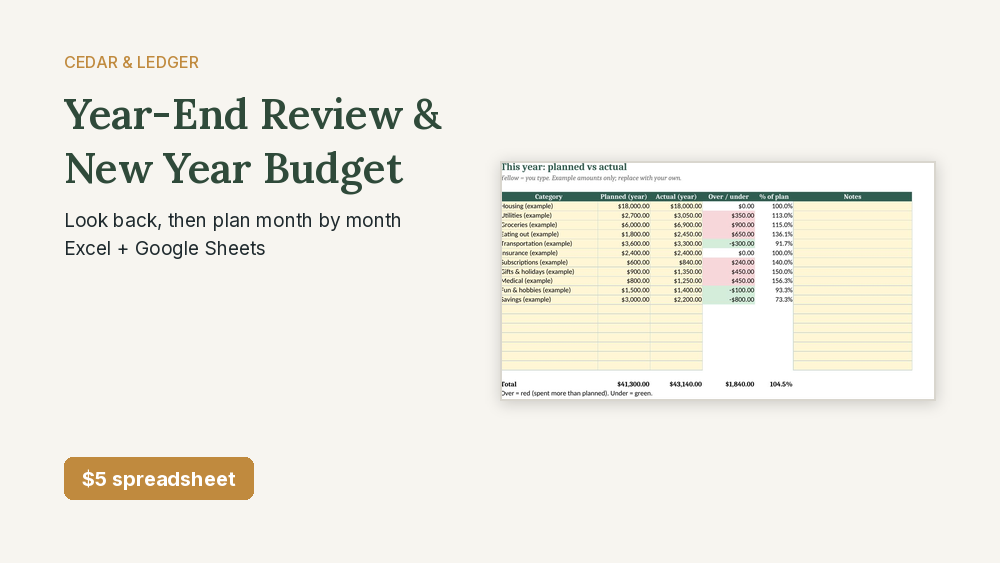
$5 on its own, or get it with 12 more home money spreadsheets in the Complete Household Money Bundle for $29.
Who this is for
- You want to sit down once and compare this year's planned and actual spending.
- You want this year's surprise costs turned into sinking funds for next year.
- You want a 12-month budget for next year with yearly bills in the month they're due.
Who it's not for
- Not for you if you want a year of transactions imported. You type in your own totals.
- Not for you if you want day-to-day expense tracking. It's a once-a-year review and plan.
- Not for you if you want financial or tax advice. It's a planning tool.
Need more than one?
This sheet is one of the 13 in the Complete Household Money Bundle. Get all 13 home money spreadsheets for $29 (about $69 if bought one by one).
Get the bundle on Payhip – $29 See what's in the bundle
Need the home and the business sets? The Everything Bundle (what's inside) has all 22 (21 spreadsheets + the website template) for $39, about $149 if bought one by one.
Instant download. Works in Google Sheets and Excel.
Save with the kit
This sheet ($5 on its own) is one of the 3 in the 2027 New Year Money Kit, with the 2027 Paycheck Calendar and the 2027 Budget Planner: all 3 for $15 instead of $21 bought separately. If you already own one of the others, buying the rest on their own may cost less.
Instant digital download, sold through Payhip. Works in Excel and Google Sheets. All names and amounts are examples; a spreadsheet, not an app. A planning tool, not financial or tax advice.
Free guides: How to do a year-end money review
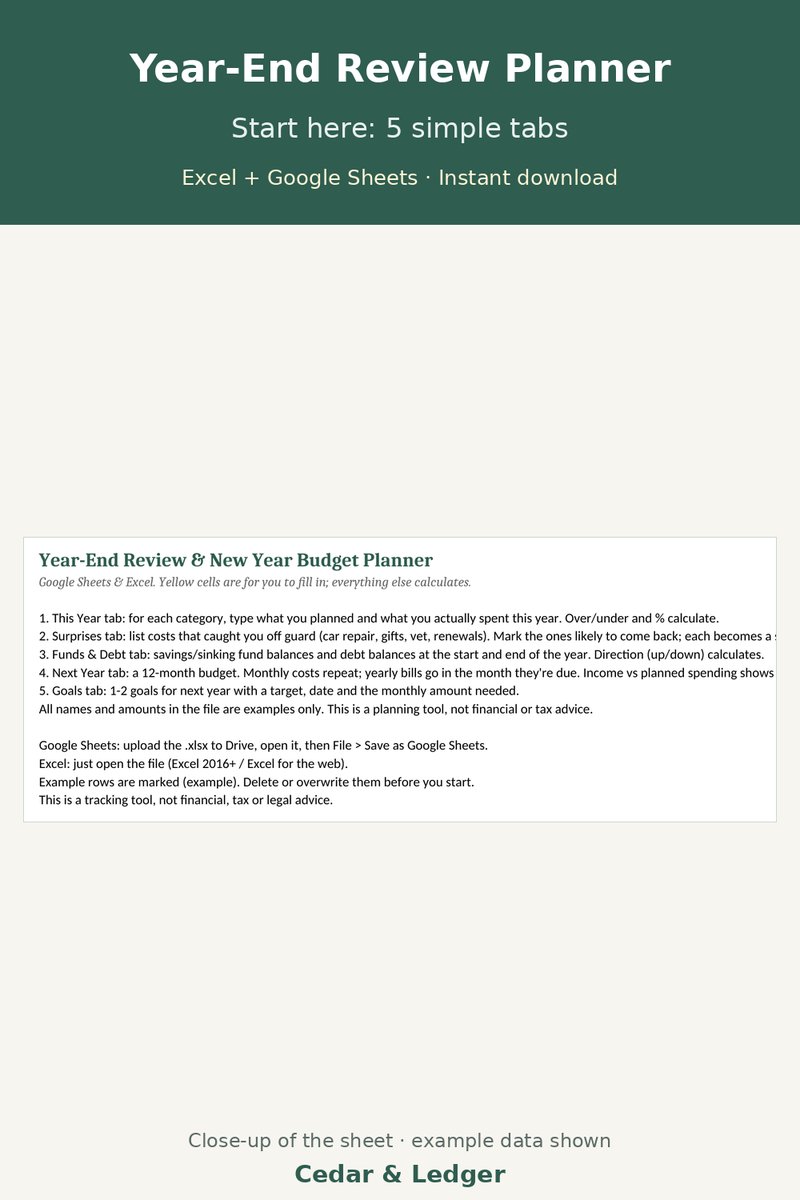
What's inside
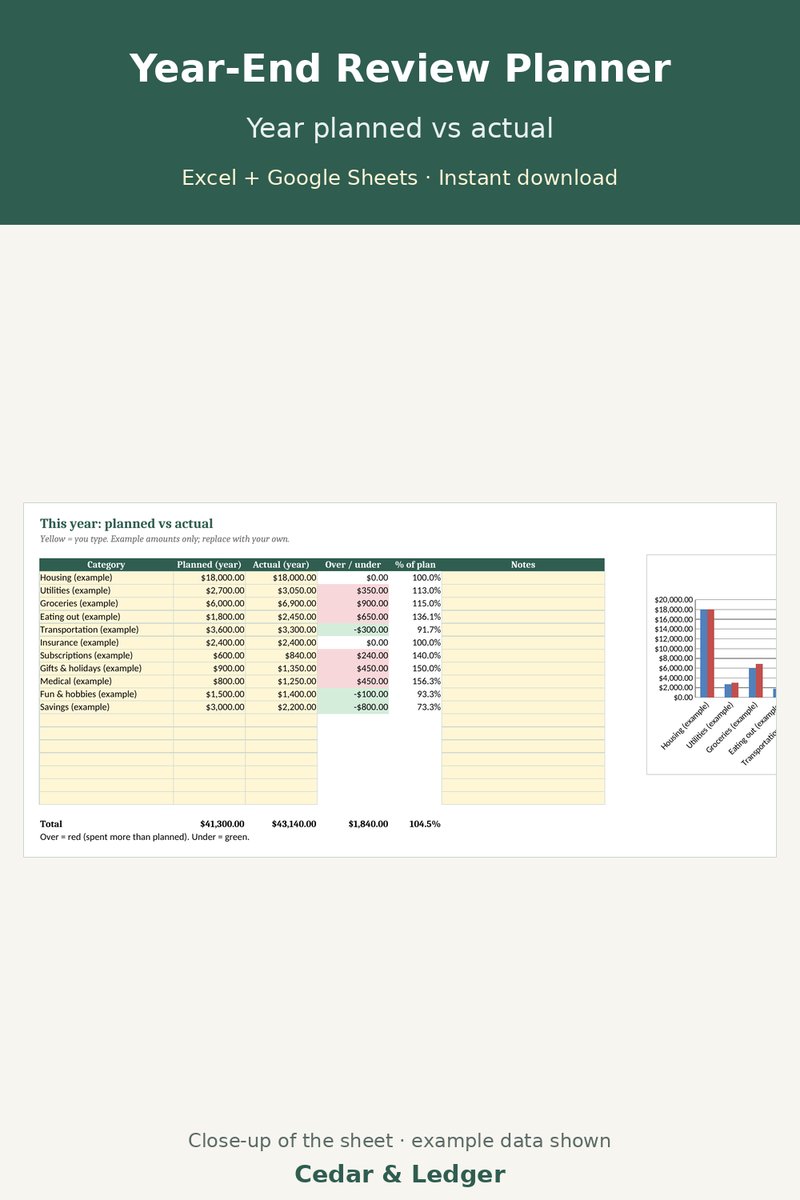
- This Year tab: planned vs actual for up to 18 categories, with over/under, % of plan and a chart.
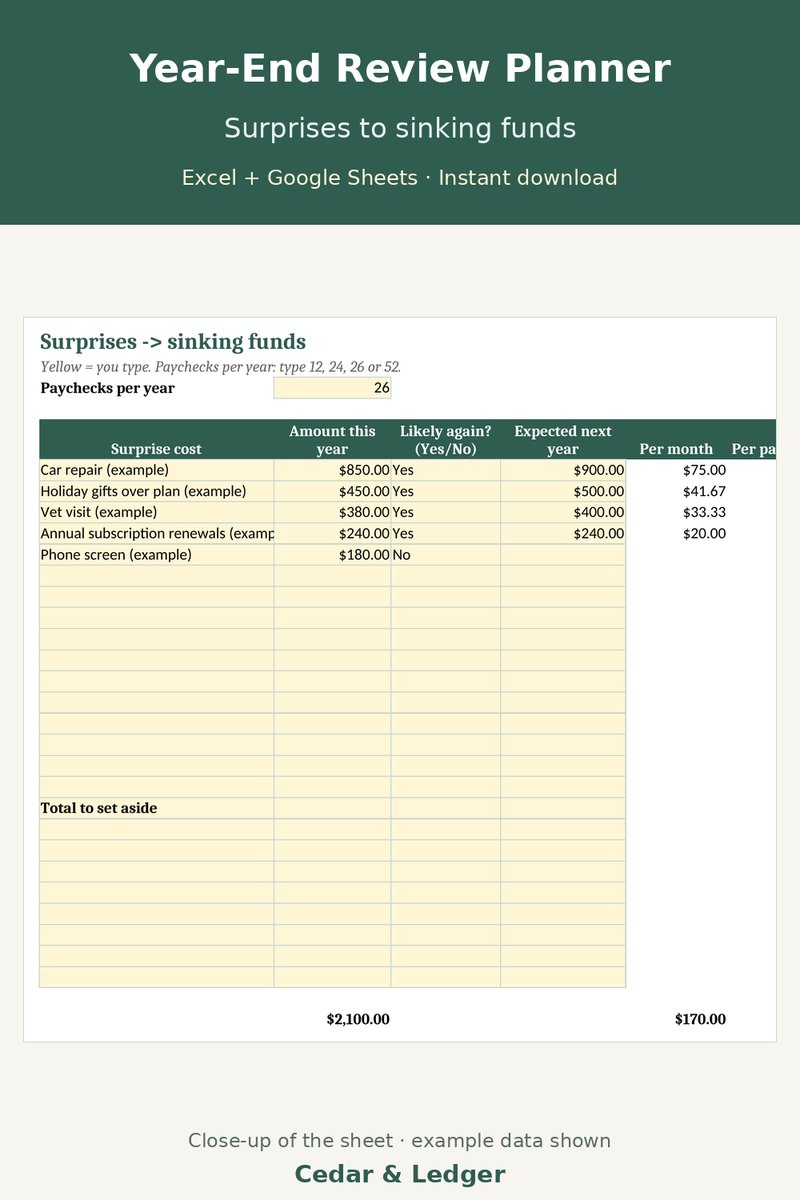
- Surprises tab: list the costs that caught you off guard; the ones likely to come back become suggested sinking funds per month and per paycheck.
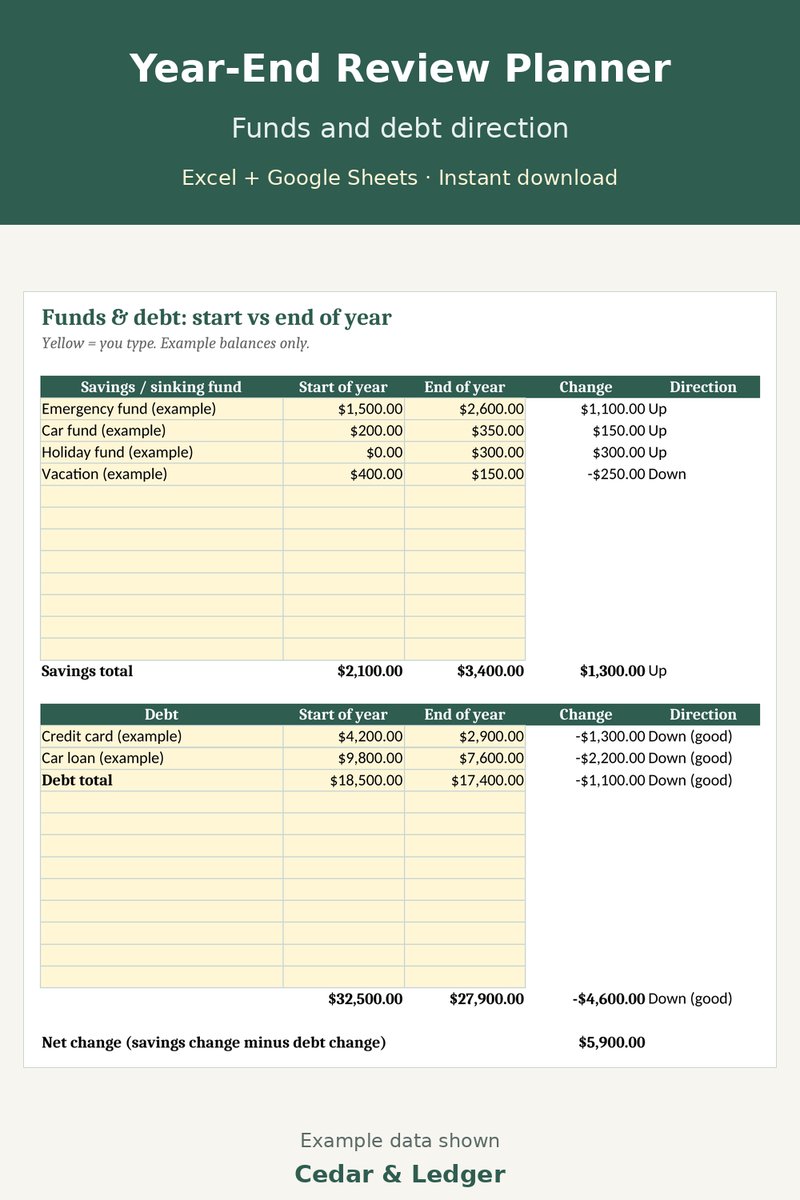
- Funds & Debt tab: savings and debt balances at the start and end of the year, with Up/Down direction and a net change.
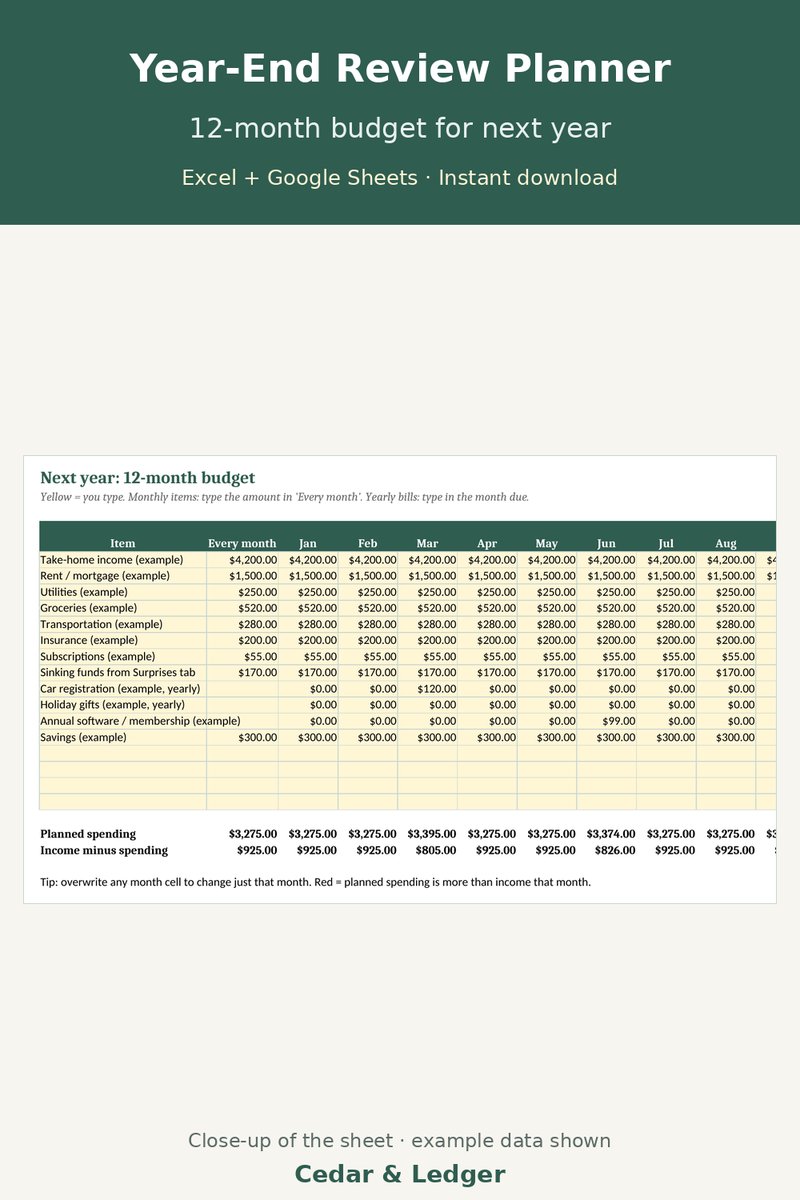
- Next Year tab: a 12-month budget where monthly items repeat and yearly bills sit in the month they're due, with income minus spending for each month.
- Goals tab: 1-2 goals with a target date and the amount needed per month.
Good to know
- All names and amounts in the file are examples; your numbers are your own.
- A spreadsheet, not an app; nothing connects to your bank. Delete the example rows before you start.
- A planning tool, not financial or tax advice.
Previews
Frequently asked questions
Which apps does it open in?
Excel 2016 or newer (including Microsoft 365 and Excel for the web) and Google Sheets: upload the .xlsx to Google Drive, then open it with Google Sheets. You get one .xlsx file (Excel 2016+/Microsoft 365/Excel for the web, imports into Google Sheets) and a short how-to. Instant digital download.
What happens after checkout?
Payhip shows your download link right after checkout and emails it to you too. You download a .zip with the .xlsx file(s) and a short how-to. It's an instant digital download; nothing physical ships.
Can I edit it?
Yes. Nothing is locked: rename categories, add rows, change colors and type over the example data.
Does it connect to my bank or send reminders?
No. It's a spreadsheet, not an app: you type in your own numbers and nothing is synced or sent.
Are the numbers in the previews real?
No. Previews and the file use example data only. Delete the example rows and add your own.
Can I get a refund?
It's a digital download, so if something doesn't open or work, message the shop through Payhip (or reply to the Payhip email) and I'll help fix it. Refund requests are handled case by case under Payhip's terms.
Is this financial advice?
No. It's an organizing and planning tool with example numbers, not financial, tax, legal or medical advice.
Code HOLIDAY26: 20% off this one at checkout, through Sun Nov 8, 2026.
Works in Google Sheets and Excel · Instant download · Nothing shipped