
2027 Seller Planner for Etsy & Small Shops
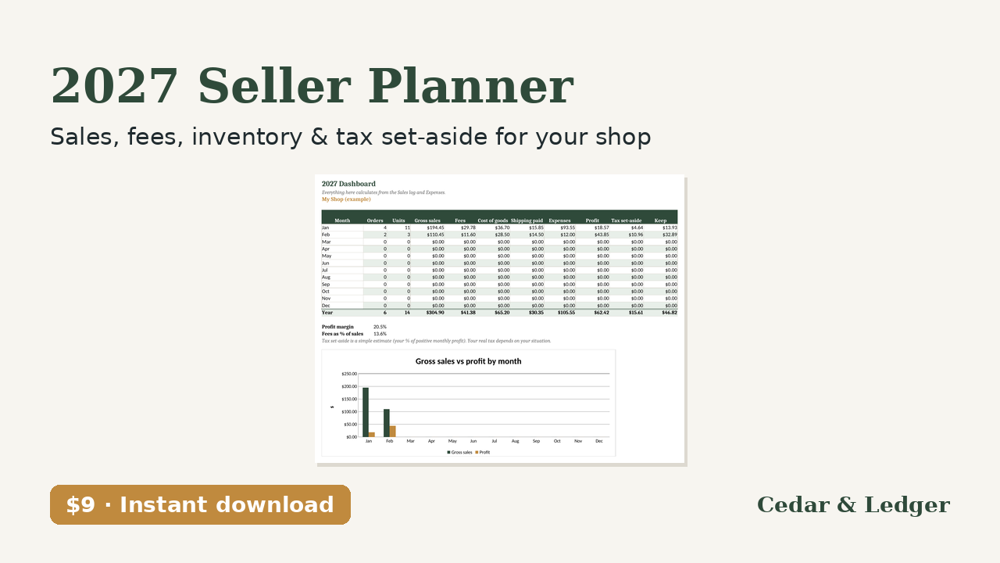
Know what your shop made in 2027 after fees, materials and shipping, with low-stock flags and a tax set-aside estimate. One .xlsx for Excel (imports into Google Sheets).
Who this is for
- You sell on Etsy or run a small shop and want to know your profit after fees, materials and shipping.
- You want stock levels that turn red when they run low.
- You want a monthly and yearly total with a simple tax set-aside estimate.
Who it's not for
- Not for you if you want sales imported from Etsy or your shop. You type or paste them in.
- Not for you if you want fee rates kept up to date for you. Platform fees change, so check yours.
- Not for you if you need an exact tax figure. The set-aside is a simple % estimate, not tax advice.
Not sure yet? Try a free 2027 printable first. The 2027 Year at a Glance is $0 on Payhip: enter your email at checkout to get the PDF, no payment details needed. Payhip emails you the download link; that's the only email it sends. For tips by email, subscribe separately (free, unsubscribe anytime).
Instant download: one .xlsx (Excel 2016+, Microsoft 365, Excel for the web; imports into Google Sheets) plus a short how-to, sold through Payhip. Products, numbers and fee rates in the file are examples; platform fees change, so check yours. It doesn't connect to Etsy or any shop; you type or paste your sales. The tax set-aside is a simple % estimate, not tax advice.
Pricing one item before you list it? The free Etsy Fee & Profit Calculator page shows the math.
Free guides: Etsy fees and profit per sale · Reseller profit tracking · Side hustle taxes
Prefer paper? The 2027 Side Hustle Income & Mileage Log ($5) is a printable monthly income, expense and mileage log.
What's inside
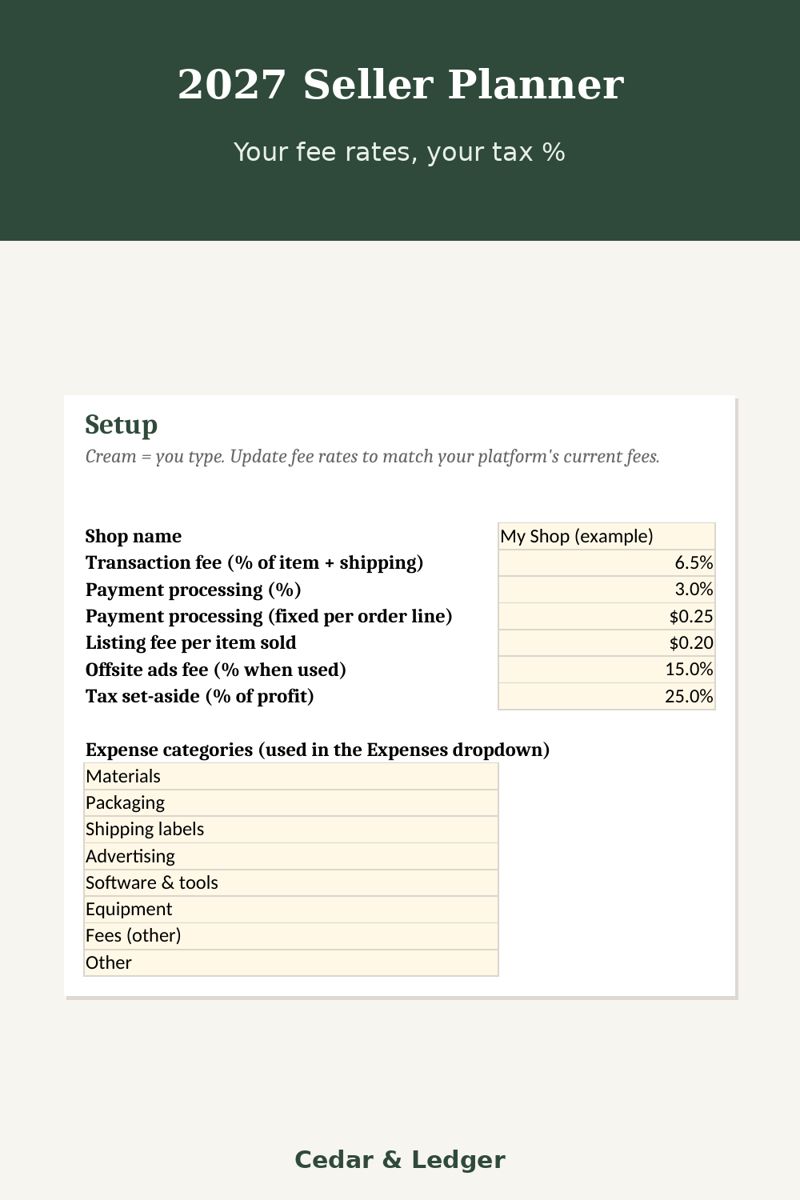
- Setup tab: your fee rates (filled with Etsy's published US rates as an example: 6.5% transaction, 3% + $0.25 payment processing, $0.20 listing, 15% offsite ads) and your tax set-aside %. Change them to match your platform.
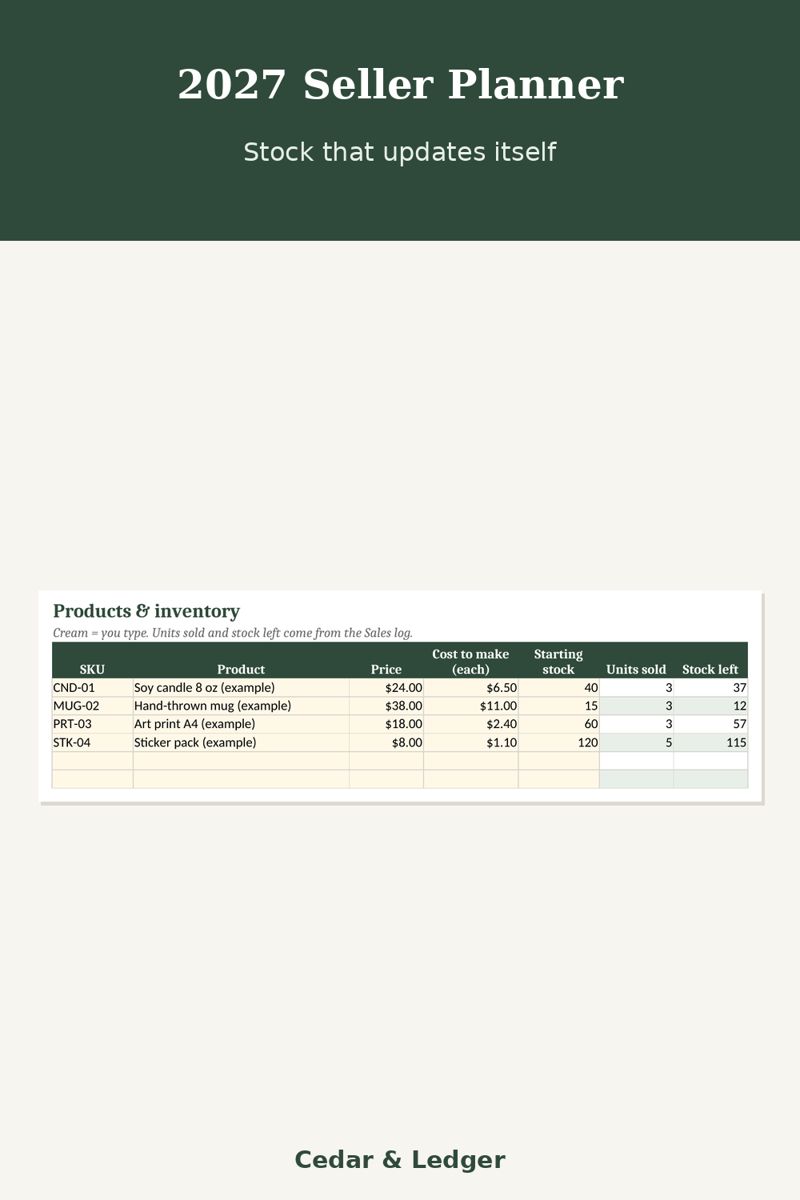
- Products & inventory: price, cost to make and starting stock. Units sold, stock left (red at 5 or fewer), gross sales and profit per unit fill in automatically.
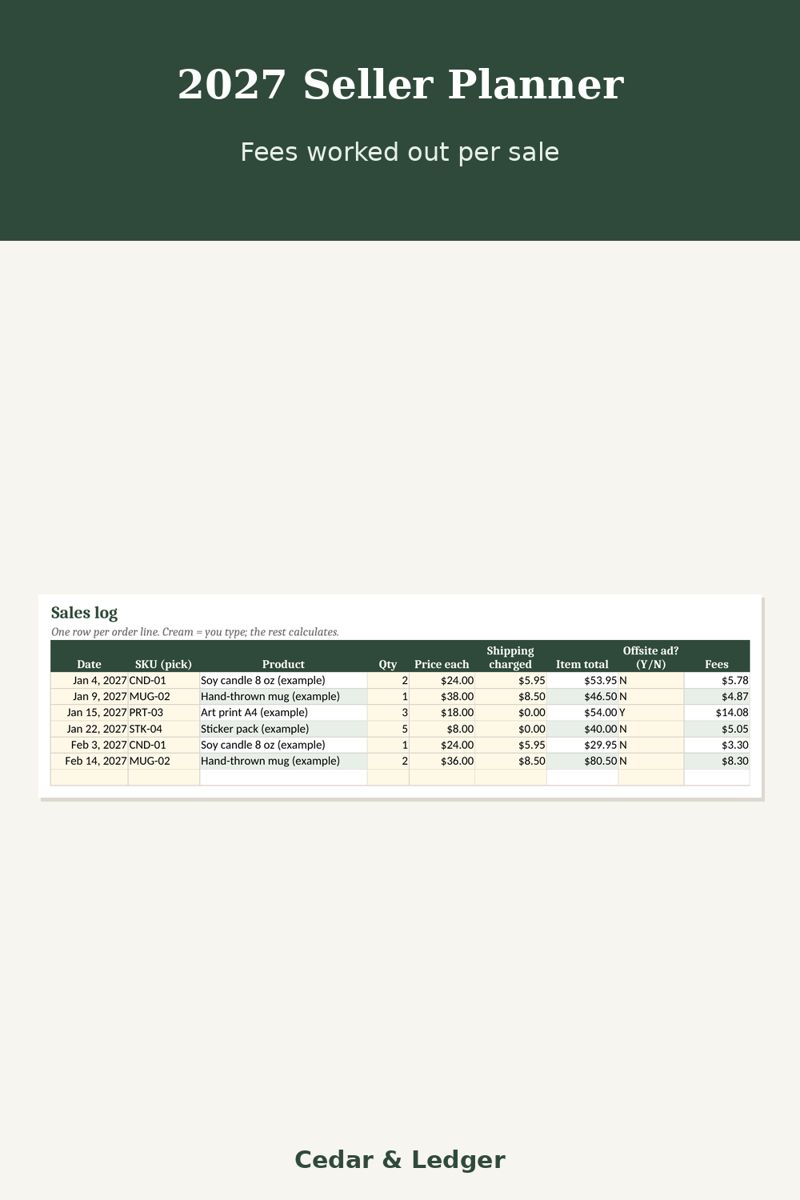
- Sales log: pick a SKU from the dropdown; product name, item total, fees, cost of goods and profit calculate. Mark offsite-ad sales Y and the extra fee is added.
- Expenses: supplies, packaging, labels, ads, software, with a category dropdown.
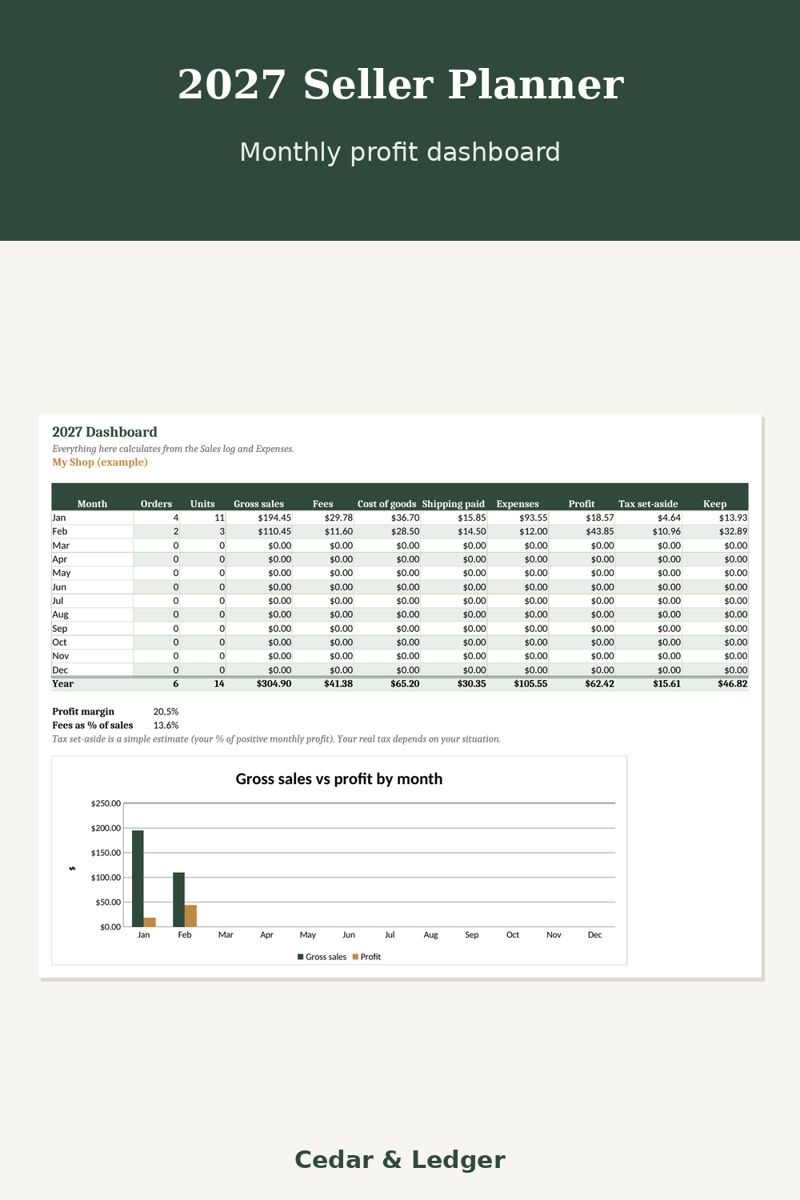
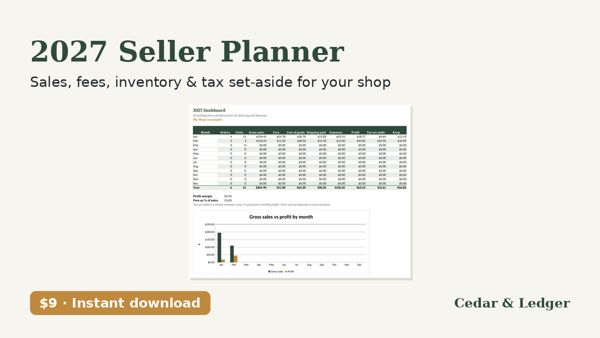
- Dashboard: orders, units, gross sales, fees, cost of goods, shipping, expenses, profit, tax set-aside and what you keep, for each month and the year, plus a sales vs profit chart.
Good to know
- Products, numbers and fee rates in the file are examples. Platform fees change and vary by country; check yours.
- It doesn't connect to Etsy or any shop; you type or paste your sales.
- The tax set-aside is a simple % estimate, not tax advice.
Previews
Frequently asked questions
Which apps does it open in?
Excel 2016 or newer (including Microsoft 365 and Excel for the web) and Google Sheets: upload the .xlsx to Google Drive, then open it with Google Sheets. You get one .xlsx file (Excel 2016+, Microsoft 365, Excel for the web; imports into Google Sheets) plus a short how-to. Instant digital download.
What happens after checkout?
Payhip shows your download link right after checkout and emails it to you too. You download a .zip with the .xlsx file(s) and a short how-to. It's an instant digital download; nothing physical ships.
Can I edit it?
Yes. Nothing is locked: rename categories, add rows, change colors and type over the example data.
Does it connect to my bank or send reminders?
No. It's a spreadsheet, not an app: you type in your own numbers and nothing is synced or sent.
Are the numbers in the previews real?
No. Previews and the file use example data only. Delete the example rows and add your own.
Can I get a refund?
It's a digital download, so if something doesn't open or work, message the shop through Payhip (or reply to the Payhip email) and I'll help fix it. Refund requests are handled case by case under Payhip's terms.
Is this financial advice?
No. It's an organizing and planning tool with example numbers, not financial, tax, legal or medical advice.
Works in Google Sheets and Excel · Instant download · Nothing shipped