
2027 Handyman Business Tracker
Log every repair and install in seconds, see who still owes you, and know what your handyman business really made after parts, tools and taxes.
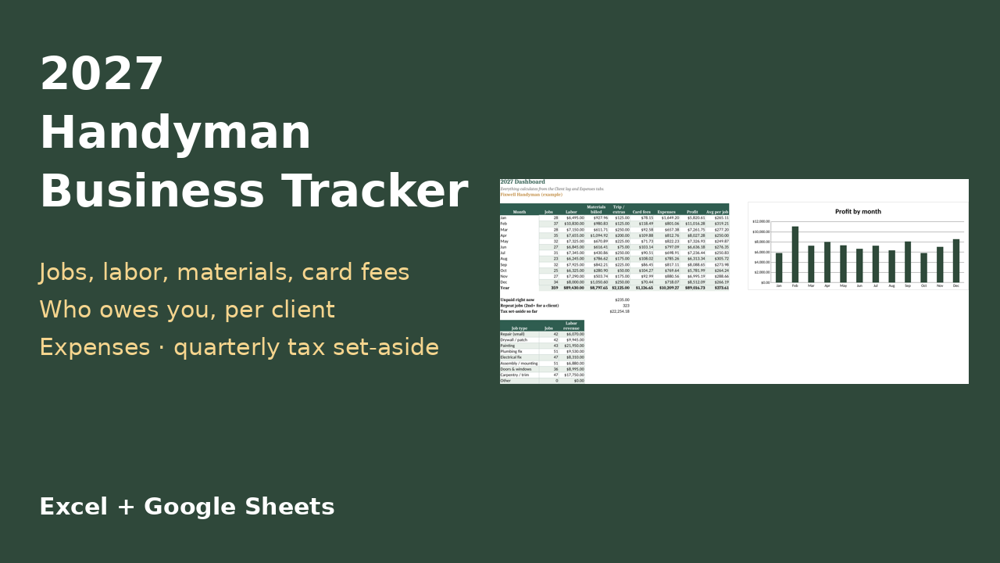
Get all 5 for $22: dog walker & pet sitter, house cleaning, lawn care, handyman and car detailing trackers in the 2027 Service Business Trackers Bundle – $22 (save $13).
What's inside (one .xlsx workbook)
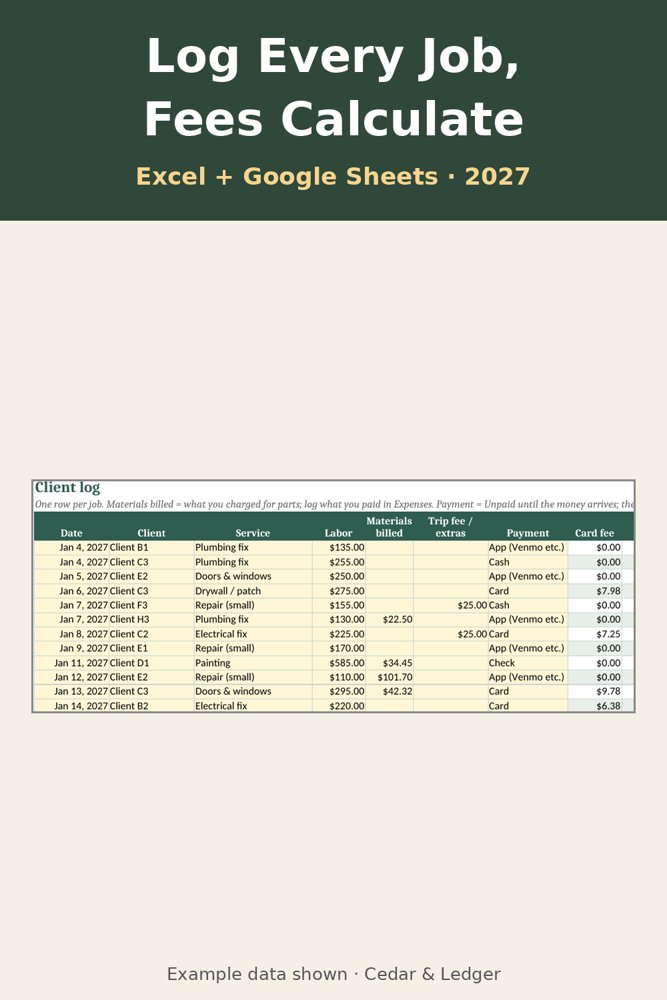
- Client log: date, client, job type (small repairs, drywall, painting, plumbing and electrical fixes, assembly and mounting, doors and windows, carpentry), labor, materials billed, trip fee and payment type. Mark a job Unpaid until the money arrives. Card fees and net calculate.
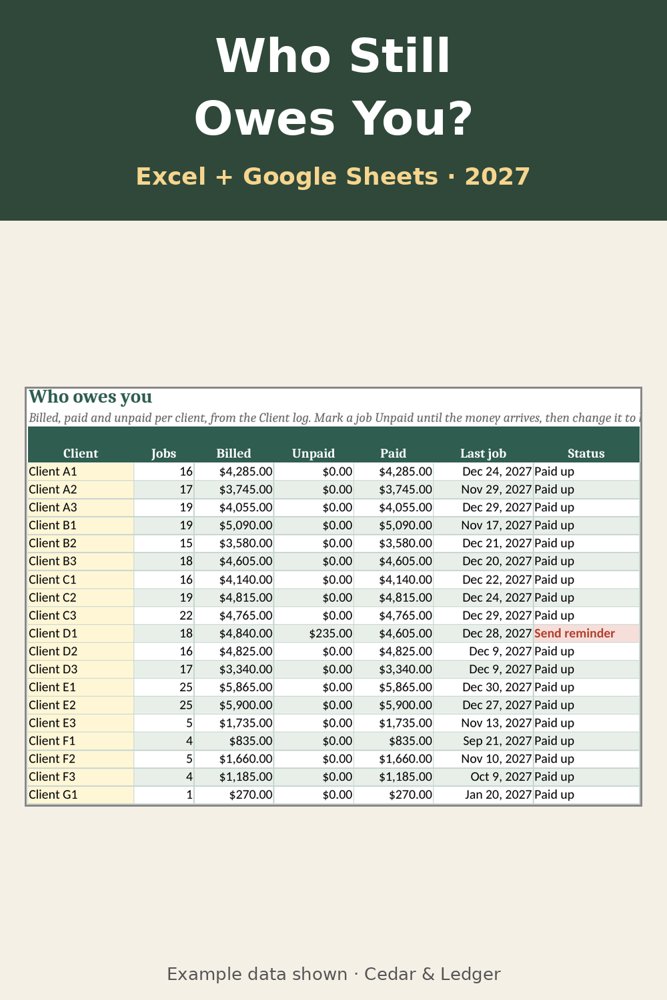
- Billing: jobs, billed, unpaid and paid for each client, the last job date, and a "Send reminder" flag for anyone who owes you.
- Expenses: insurance, materials and parts, tools, tool repairs, dump fees, booking app, phone, van gas and more, by category.
- Weekly: jobs and income against your fixed weekly costs, with what you kept. Weeks under your goal turn red.
- Taxes: income, expenses and profit for each estimated-tax period, a set-aside amount, the usual due dates, and expense totals by category.
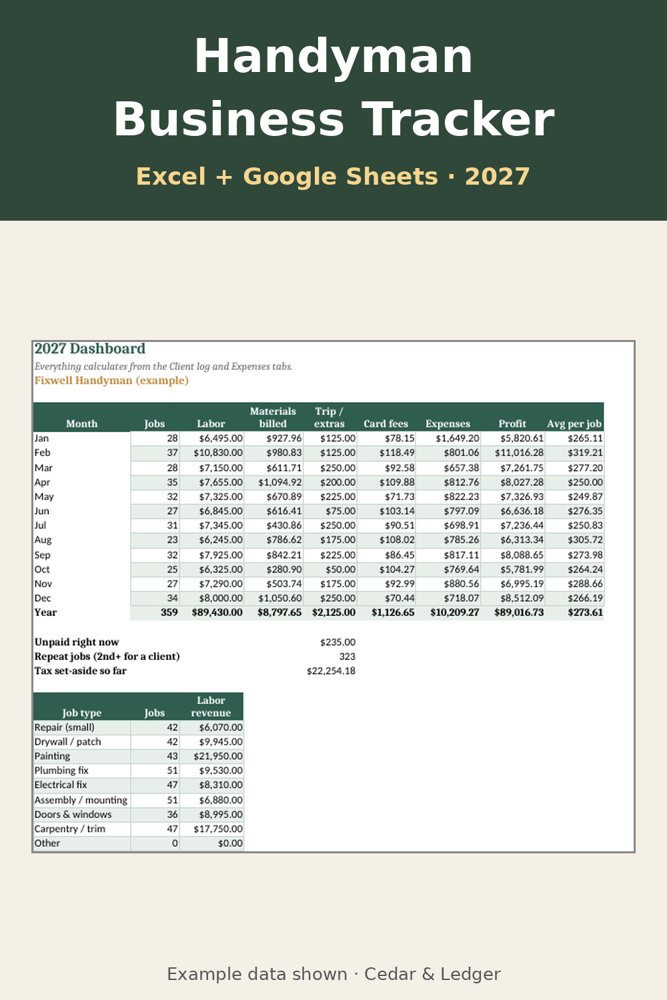
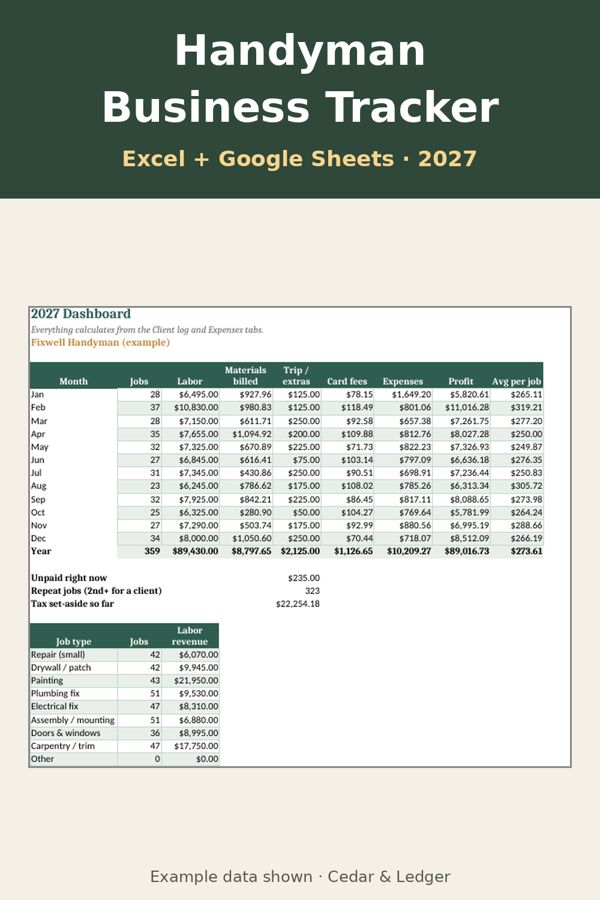
- Dashboard: jobs, labor, materials, fees, expenses and profit by month, labor revenue by job type, unpaid total and a chart.
New to tracking? Read how to track handyman jobs, payments and taxes. See also the mileage log.
Works in Excel 2016+, Microsoft 365, Excel for the web, and imports into Google Sheets. Instant digital download, nothing shipped. Example numbers included. A tracking tool, not tax advice; tax rules change, so check current IRS guidance.
What's inside
- Client log: date, client, job type (small repairs, drywall, painting, plumbing and electrical fixes, assembly and mounting, doors and windows, carpentry), labor, materials billed, trip fee and payment type. Mark a job Unpaid until the money arrives. Card fees and net calculate.
- Billing: jobs, billed, unpaid and paid for each client, the last job date, and a "Send reminder" flag for anyone who owes you.
- Expenses: insurance, materials and parts, tools, tool repairs, dump fees, booking app, phone, van gas and more, by category.
- Weekly: jobs and income against your fixed weekly costs, with what you kept. Weeks under your goal turn red.
- Taxes: income, expenses and profit for each estimated-tax period, a set-aside amount, the usual due dates, and expense totals by category.
- Dashboard: jobs, labor, materials, fees, expenses and profit by month, labor revenue by job type, unpaid total and a chart.
Good to know
- Numbers in the file are examples.
- It's a tracking tool, not tax advice. Check current IRS guidance or a tax professional.
- It doesn't connect to your booking or payment apps; you type your jobs.
- Made with AI assistance and reviewed before release.
Previews
Frequently asked questions
Which apps does it open in?
Excel 2016 or newer (including Microsoft 365 and Excel for the web) and Google Sheets: upload the .xlsx to Google Drive, then open it with Google Sheets. You get one .xlsx file (Excel 2016+, Microsoft 365, Excel for the web; imports into Google Sheets) plus a short how-to. Instant digital download.
What happens after checkout?
Payhip shows your download link right after checkout and emails it to you too. You download a .zip with the .xlsx file(s) and a short how-to. It's an instant digital download; nothing physical ships.
Can I edit it?
Yes. Nothing is locked: rename categories, add rows, change colors and type over the example data.
Does it connect to my bank or send reminders?
No. It's a spreadsheet, not an app: you type in your own numbers and nothing is synced or sent.
Are the numbers in the previews real?
No. Previews and the file use example data only. Delete the example rows and add your own.
Can I get a refund?
It's a digital download, so if something doesn't open or work, message the shop through Payhip (or reply to the Payhip email) and I'll help fix it. Refund requests are handled case by case under Payhip's terms.
Is this financial advice?
No. It's an organizing and planning tool with example numbers, not financial, tax, legal or medical advice.
Works in Google Sheets and Excel · Instant download · Nothing shipped
See all Cedar & Ledger templates
More templates, tools and free printables
Not sure yet? Try a free 2027 printable first. The 2027 Year at a Glance is $0 on Payhip: enter your email at checkout to get the PDF, no payment details needed. Payhip emails you the download link; that's the only email it sends. For tips by email, subscribe separately (free, unsubscribe anytime).